AI tips · No. 4
2026-10-12, updated 2026-10-13
One task board for me and every AI agent
A Markdown file my agents write to, on my phone with no signal, in my calendar, and on my desktop.
Using an AI agent? Don't build this by hand. Point your agent at this page; there is a section for it at the bottom.
The problem
I run a Claude Code session per project: the farm, the garage, the business, a house design, a dozen more, across a Raspberry Pi and two laptops. Each one kept its own to-do list in its own repo. A maintenance table here, a pending file there, a shopping list, a compliance checklist. The task app on my phone I had stopped opening months ago.
So "what do I have to do this week" meant asking seventeen agents. I wanted one list, on Linux, Windows and Android, that works in the field with no signal, pings my phone, shows up in my calendar, and that every agent can read and write.
The fix
One Markdown file in git, one way to change it, and every screen reads it. I called it Cairn.
## Doing
- [ ] Finish the kids' closet #home due:2026-10-13 ^aa01

## Todo
- [ ] Spray the fence lines #farm due:2026-10-13T13:00 ^aa03
- [ ] Winterize pumps and hydrants #farm due:2026-10-16 every:1y ^aa04

## Later
- [ ] Order the plants #farm due:2026-11-15 until:2026-11-01 ^aa14- Headings are the columns, lines are the cards, and the order is the priority. Git history is the audit trail, and anything can read the file.
- One locked function changes it: read the file, apply one operation, write it, commit. The command line, the app and a tap on a notification all go through it, so two writers never collide.
- Agents use a command:
cairn add "Fix the gate latch" '#farm' due:fri, thencairn done. On the other machines the same command talks to the board's server. - The app is one HTML page and a service worker, installed from Chrome on my phone and both laptops. It is served only inside my private network (Tailscale), so there is no login to build.
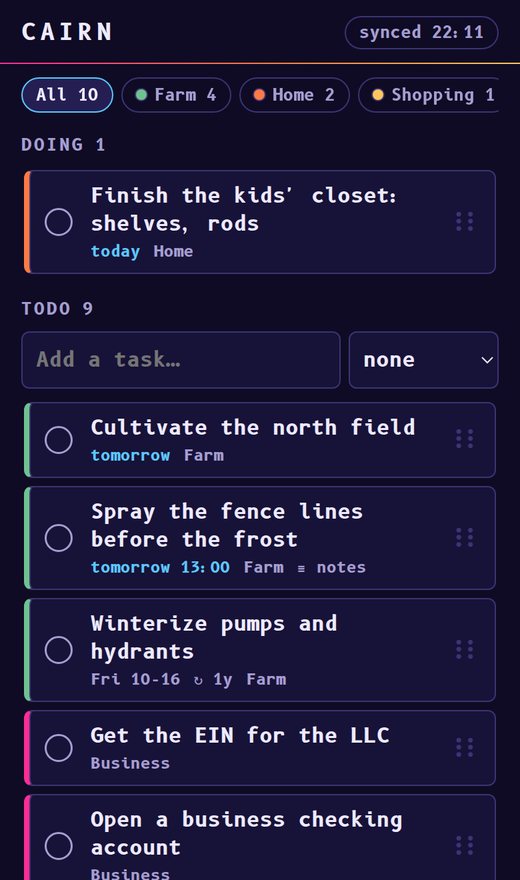
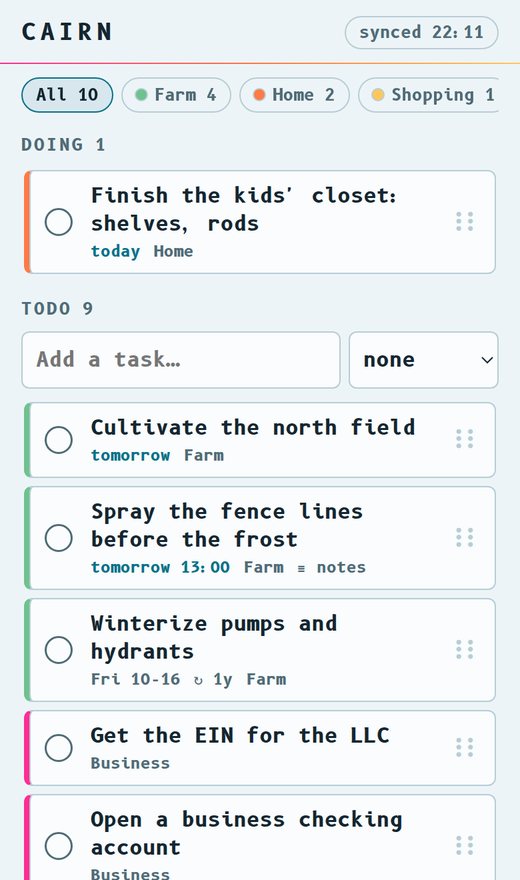
With no signal
Every change is an operation with its own id, kept in an outbox on the phone. The app applies it at once and sends the outbox when the server answers; the reply is the whole board. A resent operation is skipped by its id, so a dropped connection can't do anything twice. To test it I cut the network in the middle of two changes: the app showed "2 waiting", and both landed the moment the server answered.
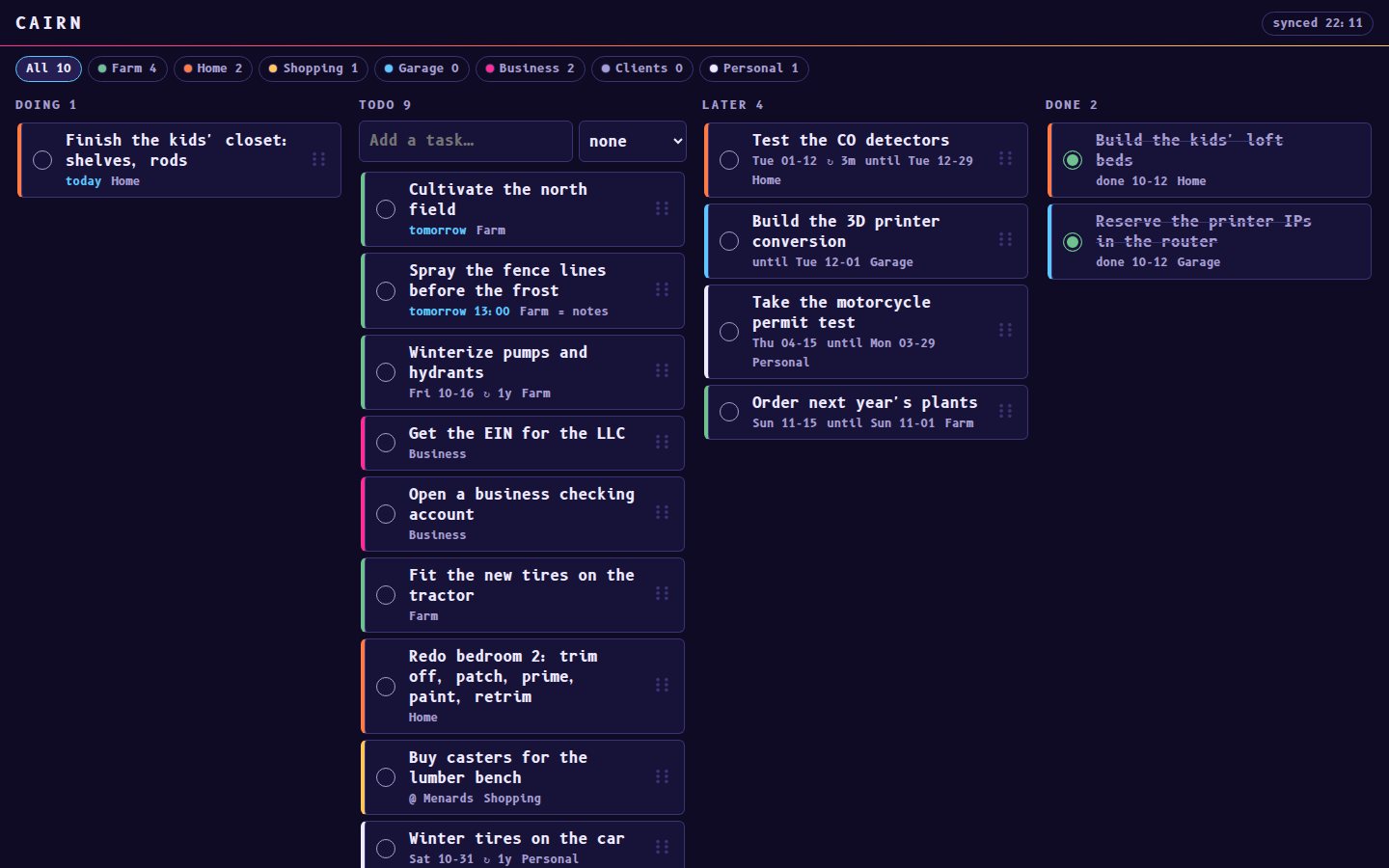
Everywhere I look
- My phone: ntfy pushes a summary at 7 a.m., and a card at its due time with a Done button that ticks it without opening anything.
- Google Calendar: cards with a date become events in a calendar of the board's own. It asks for
Google's narrowest calendar permission,
calendar.app.created, so it can't see anything else. - Repeating jobs:
every:1yon a card, and ticking it makes next year's, which waits out of sight until two weeks before it's due. - My desktop: the second screen of my Windows laptop is a dashboard drawn into the wallpaper. Its task and shopping cards read the board every minute, and the shopping list groups by store.
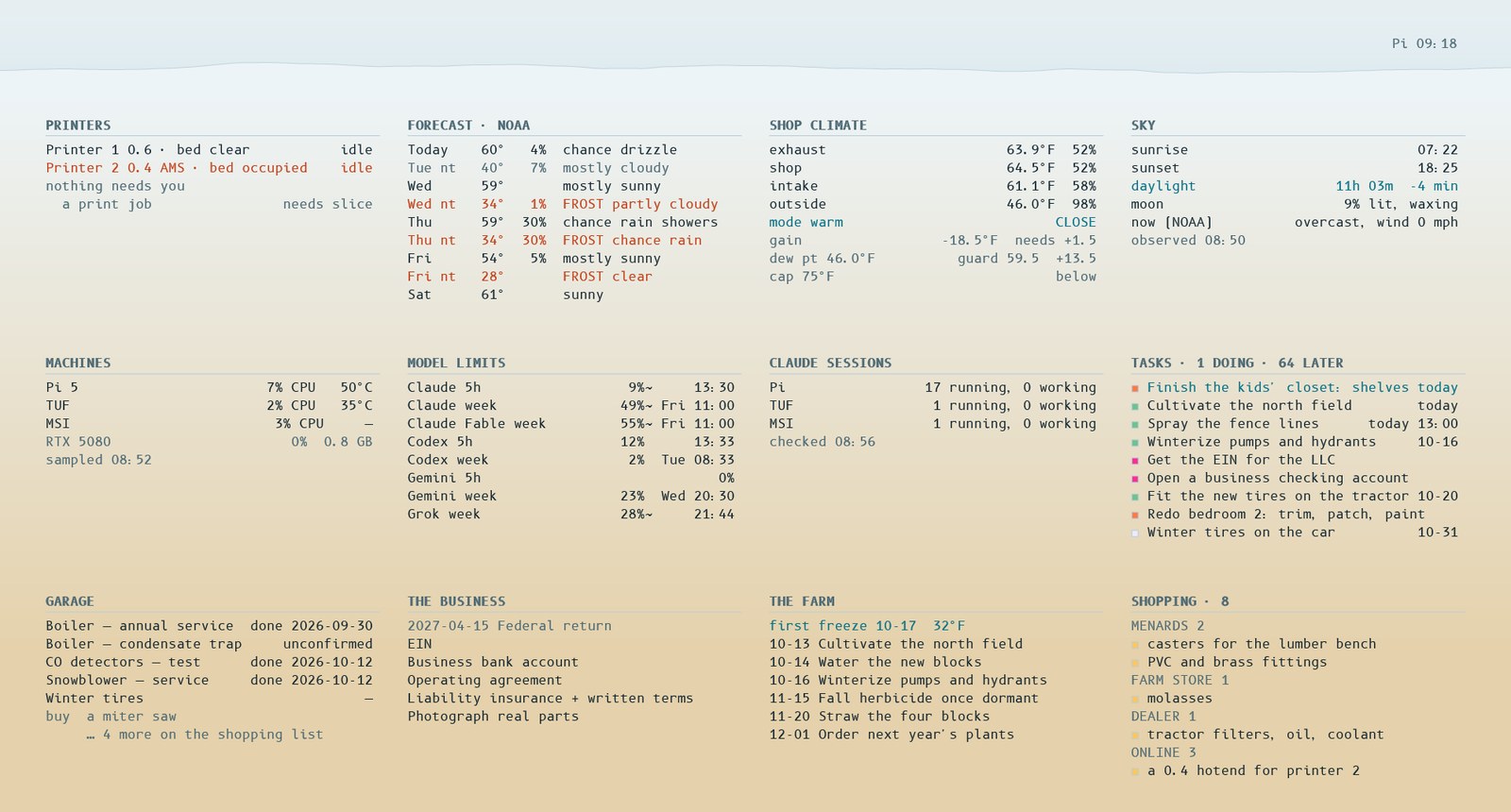
The agents
One rule in the global instructions every session reads: everything I have to do in the real world is a card. The repo keeps the reasoning, and the card points to it.
Then the session that built the board sent every running session the same message: send me your open items, one line each, in this format. All seventeen answered within five minutes, about 260 lines between them. It merged the duplicates and loaded 231 cards in one commit. Then we went through them in chat, twenty-five at a time, and I answered by number: done, drop, later, keep. By the end of the evening 240 cards were down to 181, and the questions I couldn't answer went back out as research to the sessions that own them.
The screens
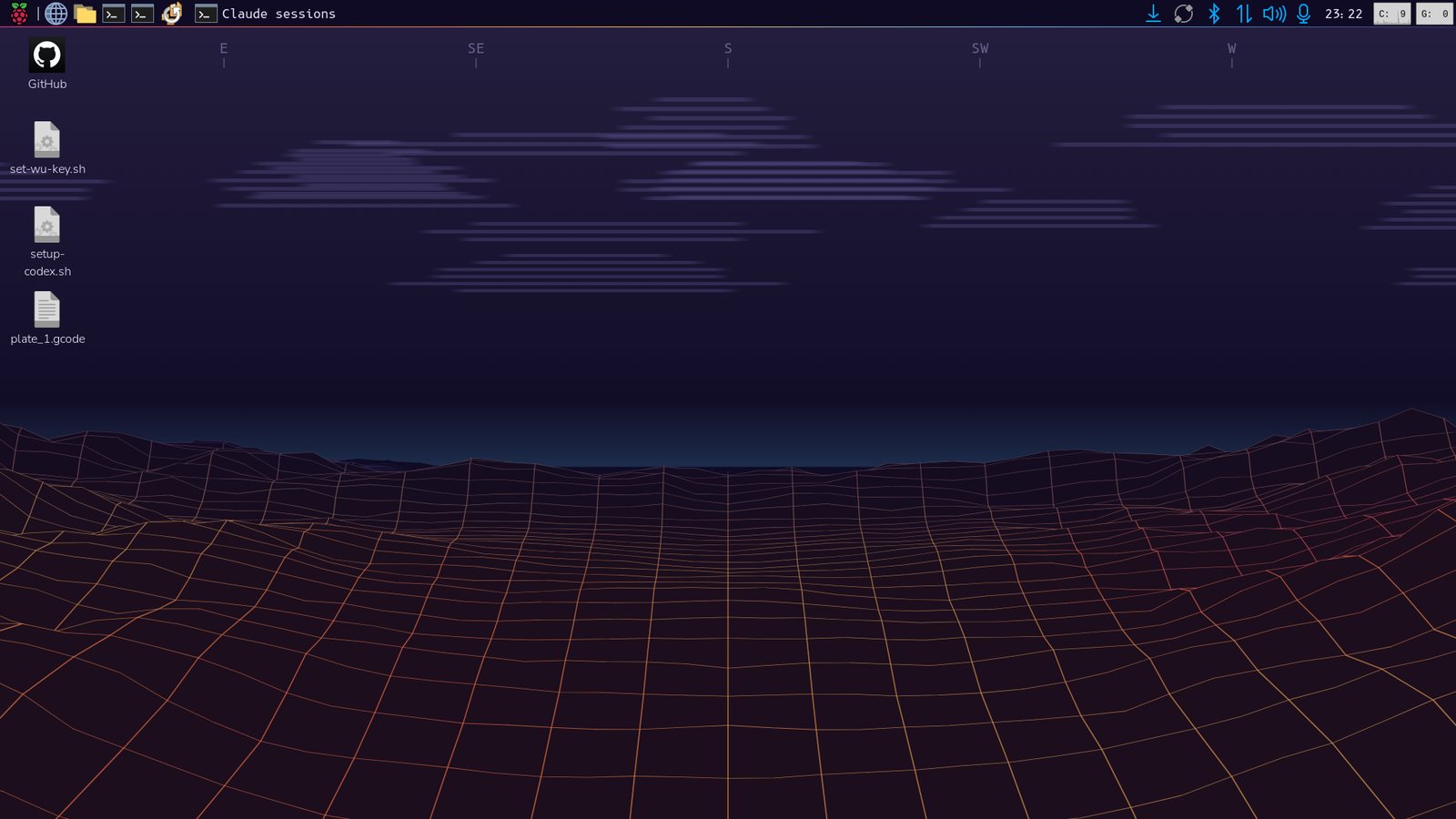
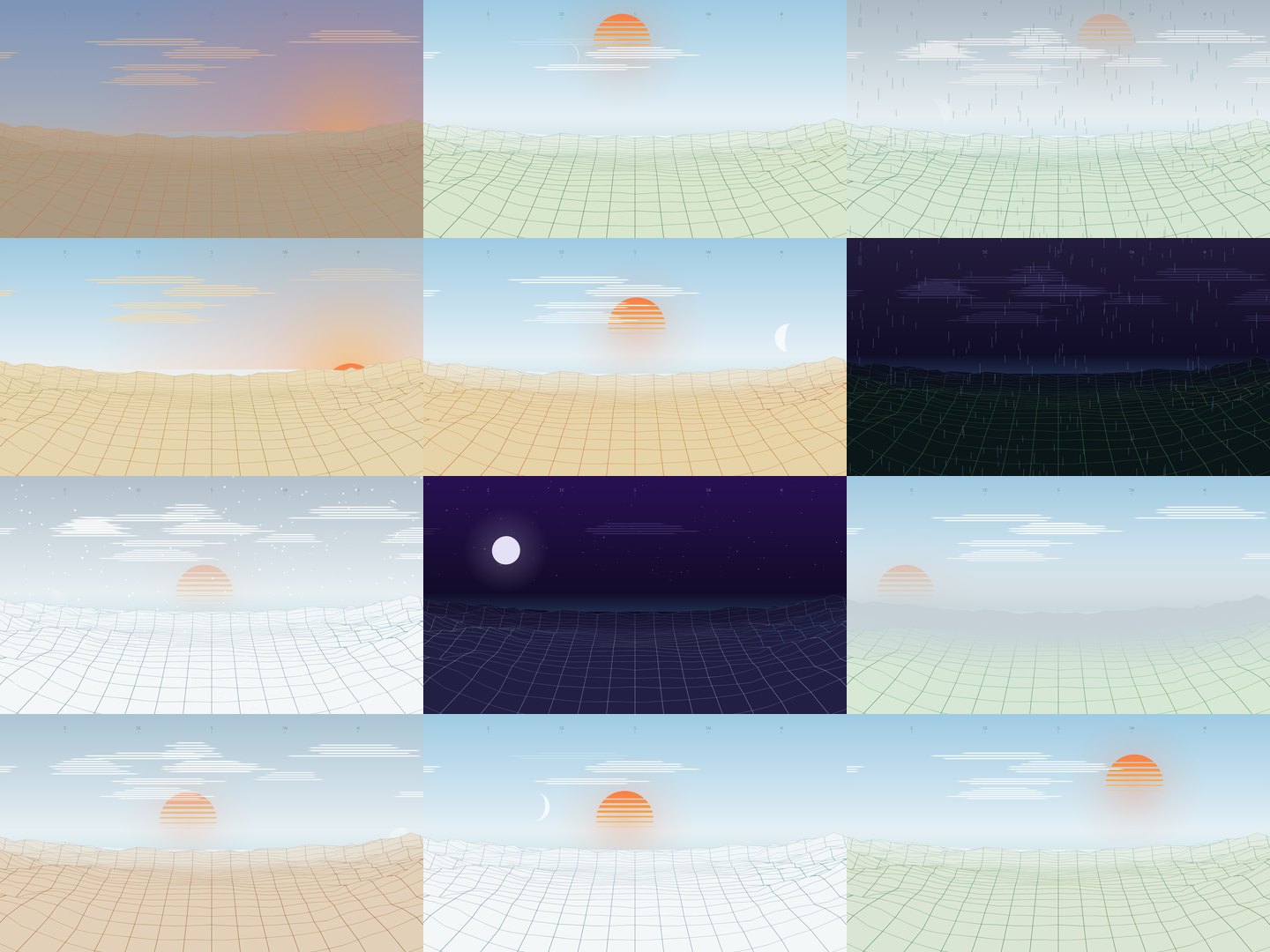
The desktops it lives on got the same care. The wallpaper is one scene everywhere: a wireframe landscape under the real sky. The sun and moon are where they actually are, to a tenth of a degree. Clouds, rain and snow come from the nearest weather station. The ground changes colour with the season. It moves on the Windows laptop, drawn in Rust on the integrated graphics, and it's redrawn as a still every five minutes on the others. The light and dark themes switch at the real sunrise and sunset. On Windows the lock screen and the sign-in screen show it too: the moving wallpaper hands Windows a fresh frame every ten minutes and whenever the laptop locks.
A second look
After this page went up, I had three models review the look: Claude Fable, Grok and Codex, each working alone from the same eight screenshots and a one-page brief in my words. They agreed on eight problems. The ground tore open for a moment as a ridge passed under the camera. The night lines were too bright and too thick, and the clouds looked like bars. The compass hid under the panel, and a cool strip sat on the horizon at sunset. On the dashboard, cyan was everywhere and values were cut off mid-word. The eighth was the striped sun, and it stays.
Claude fixed the other seven in the JavaScript version of the scene and checked them with before-and-after renders. Then Codex ported the changes to the Rust renderer from the exact diff, and tests check that the two still draw the same seasons. The next morning Claude looked at every screen and found three faults the renders hadn't shown.
What bit
- An unquoted
#tagin a shell is a comment. It vanished silently. Quote it, or writecat:home. - Airplane mode leaves Wi-Fi on. My first "offline" test went straight through. Turn off Wi-Fi and data both.
- My phone lost the internet whenever Tailscale was on. MagicDNS was on with no global nameservers, so after a network change ordinary lookups had nowhere to go. Setting global nameservers and "Override DNS servers" fixed it.
- Google wouldn't publish the app's sign-in without a home page and a privacy policy, and an app left in Testing gets sign-ins that expire after seven days. I wrote a short privacy page.
- Another agent reshaped a table my dashboard read. Overnight the garage session swapped its maintenance table's "Next due" column for "Notes", since the due dates now live on the board. The dashboard card read the fourth column and printed the notes as due dates. Read a Markdown table by its headers, not by column position.
- Windows 11 Home ignores the lock-screen policies. The per-user call that Settings itself makes,
WinRT's
LockScreen.SetImageFileAsync, works on Home. - Windows Smart App Control blocks every new unsigned build. The first deploy stopped the running wallpaper and then couldn't start the new one. The deploy now test-runs the new build before touching the old.
The result
One list, and everything reads it: my phone with or without signal, my calendar, my desktop, and every agent. The 7 a.m. push tells me what's due, and an agent that hears me mention a job puts it on the board. It's about 1,800 lines of Python, JavaScript and HTML plus 360 lines of tests, standard library only, no framework. Claude Code wrote it in one evening from the problem as I described it above.
For your AI agent
Anyone with an AI agent will just tell it to read this and build it, so this part is written for the agent. Paste something like this into Claude Code, or whatever agent you use:
Read https://jacobkunselman.com/tips/one-task-board/agent.md
and build this for me. Adapt it to my machines and my private network. Run its acceptance tests.
agent.md is the plain-text spec: the file format, the operations, the offline sync, the server, pushes, the calendar, repeats, the rules that keep it safe, and acceptance tests. The code I run is the reference implementation, meant to be read and adapted: