Local CAD
2026-10-14
The harness, not the model
The same 27B model on a laptop went from 18 to 27 of 28 printable parts fully right. The model didn't change. Its instructions and tools did, and frontier models designed and tested them.
This follows the first comparison, where five open models designed six parts and the best got four fully right. That page picked the model. This one is about the harness around it: the instructions it reads, the tools it can call, and the tests that grade it. It's still a fallback for when the cloud is down, not a replacement for the frontier models.
The idea
A small model on a laptop is weak at exactly the things a frontier model does well: noticing that a picture is subtly wrong, knowing an obscure library's quirks, deciding when it's done. So I had the frontier models do the harder job instead. They wrote the instructions and the tools the small model uses, then ran the tests and read every failure.
The harness is the part that lasts. A better model next year will use the same instructions and the same tools; it will just be better at working around them where they fall short. That shapes how it's built:
- Checks go in code, not in prose. A tool measures the same way for every model. A rule in the instructions can fire where it doesn't fit, and one did: it cut the floor out of a pipe cap.
- Every rule carries its reason, so a stronger model can tell when it doesn't apply.
- For everything the grader checks, the model gets a tool to measure its own part. It gets the means to measure, never the test's numbers.
- Crutches for one model stay apart from the core, like a cap on how long it may think in one turn, so they can be dropped for a better one.
The model
Stock Qwen 3.8 27B, a 3-bit file (GSQ-RCO IQ3_XXS, 10.4 GB) plus its 0.9 GB vision part, with 64k of context, on the laptop's 16 GB RTX 5080 through llama.cpp. It beat its abliterated twin at the same size, 17 to 15 of 20, in under half the time. It may think for at most 8,192 tokens a turn before it has to act, because round 2's worst failures were spirals of thought that never got back to building.
It runs as an offline user that can write one part's files and call one tool, cad. Builds
happen as a different user in a sandbox with no network. The model can read a build's report and pictures
but can't change them. Every version is kept. My phone and FreeCAD show each one as it lands.
The loop
One instruction file, about two thousand words, tells the model how to work. Each part goes like this:
- Write the part in OpenSCAD with the BOSL2 library, every size a named number at the top.
cad build, then look at the four-view sheet it draws.- Measure whatever the request gives a number for. A picture shows the shape; a measurement shows the size. Anything with a bore or a thread gets a profile, read line by line.
cad checkbefore stopping: will it print without support?- Fix what's wrong and build again, at most 20 times. Stop when it's right, and say plainly what's still wrong or uncertain.
The instructions also hold what a small model can't be expected to know, each with its reason: a closed end stays closed: a blind thread just ends, over at least 3 mm of solid, and no taper may cut into that floor. Where a wider part sits on a narrower one, chamfer the underside at 45° or it prints in the air. Ask only about what decides fit or function; choose the rest and say so. And one measured fact, because every model, the frontier ones included, had to guess it: BOSL2's 1/2-inch NPT internal thread cutter has a flat Ø20.0 mm end, so a bore joins it with a 45° cone that reaches exactly that.
The tools
Each command works on the latest built version of the model's one part and answers in plain text the model can act on.
- cad build PART
- Compiles the source in the sandbox, checks the mesh is sealed and counts the bodies, gives the size and position, and draws four views on one sheet.
- cad view PART --section Z · --cut-x X · --cut-y Y
- A horizontal or vertical cut through the part, as a picture, and in numbers: each solid region's extent, and each opening's size, centre and diameter.
- cad measure PART --at X,Y,Z · --line X,Y,Z DX,DY,DZ
- Calipers. Solid or empty at a point, or every solid and empty stretch along a line, in millimetres. A hole that must go through reads empty the whole way; a floor reads as one solid stretch of its thickness.
- cad profile PART
- Walks up the part's axis and says what's there, stretch by stretch: a round bore and its diameter, a taper and its angle and which way it widens, a thread's roots and crests and which end is widest. Then every flat face inside the opening, read off the mesh, and whether the part is open or closed at each end. For a pipe fitting that is the whole check.
- cad check PART
- The shop's own print screen, the same code my other CAD work goes through: walls thinner than two nozzle lines, overhangs past 45°, bridges over 25 mm, flat ledges hanging in the air. Each finding says where.
What the
model saw
One real run from round 4: a 1/2-inch NPT floor flange. The request:
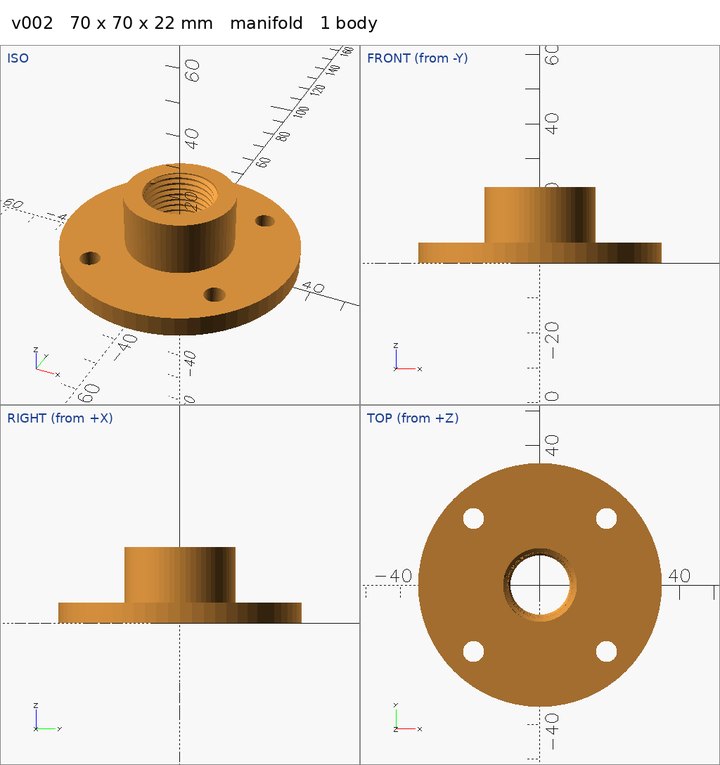
A 1/2 NPT floor flange, lying flat on the bed and centred on the origin: a round flange 70 mm in diameter and 6 mm thick, and a round hub 32 mm in diameter rising from it to 22 mm above the bed. Four 6 mm screw holes go through the flange on a 54 mm circle, at 45, 135, 225 and 315 degrees from +X. A 1/2 NPT female thread of the standard length goes into the top of the hub, and below it a 17 mm bore runs out through the bottom.Its first build looked right on the sheet. The profile didn't agree:
PROFILE v001 along Z at (0, 0), sampled every 0.5 mm; Ø is twice the distance from the axis:
  z   0.00 to   1.50: open, a taper from Ø17.72 to Ø19.72 (45° from the axis, widening going up)
  z   1.50 to   2.00: solid at the axis (closed)
  z   2.00 to   2.50: open, a round bore Ø19.99
  z   2.50 to  22.00: open, threaded: roots Ø20.03 to Ø21.22, crests Ø18.27 to Ø20.59 (widest at the top)
  → a flat face facing DOWN at z 1.40, Ø20.0 to Ø20.0 (315 mm²): a ceiling inside the bore; it sags when printed and catches the flow. Make it a 45° taper
  → the floor of a blind hole at z 2.15, Ø0.0 to Ø20.0 (313 mm²): closed below, which is right for a cap
  → open at the bottom: the opening runs out through z 0.00
  → open at the top: the opening runs out through z 22.00
As printed. The “right for a cap” line was the tool guessing at the part's purpose; this is a flange. Round 5's profile no longer guesses what a part is for.
The model measured along the axis, took a vertical cut, and found a thin disc across the bore:
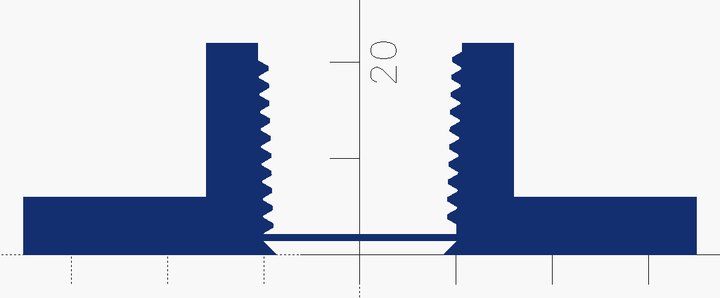
“Found it: the cutter cylinder was using the default anchor of
cyl= CENTER, not BOTTOM, so it wasn't aligned with the bore/cone.”
One edit later:
PROFILE v002 along Z at (0, 0), sampled every 0.5 mm; Ø is twice the distance from the axis:
  z   0.00 to   1.00: open, a round bore Ø17.10
  z   1.00 to   2.50: open, a taper from Ø18.20 to Ø19.99 (42° from the axis, widening going up)
  z   2.50 to  22.00: open, threaded: roots Ø20.03 to Ø21.22, crests Ø18.27 to Ø20.59 (widest at the top)
  → open at the bottom: the opening runs out through z 0.00
  → open at the top: the opening runs out through z 22.00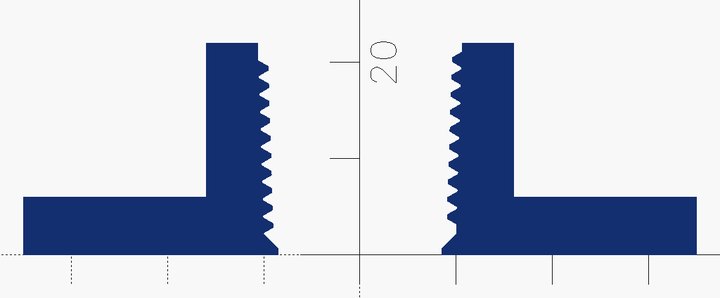
Then cad check said it prints, and the grader agreed: 23 of 23. The skin across the bore was
under a millimetre thick. The four views never showed it; the profile did.
How it's
graded
Sixteen requests, from an L-bracket to a V-belt pulley, written the way I'd ask for a part. Six are pipe fittings with real 1/2-inch NPT threads. One gives a picture instead of positions, and one hands over an existing part to modify. A separate grader measures each finished part; the model never sees its probes. It checks size and position, one sealed body, points that must be solid or empty, and for threads the pitch, the taper and its direction, the size and the depth. Every reference part passes every check, and 17 deliberately wrong ones (a thread upside down, a ledge in a bore, a bolt circle 4 mm off) each fail exactly where they should.
Rounds 3, 4 and 5 run the same 28: the six newer, harder parts three times each, the other ten once. A part is fully right only when every check passes.
Round by round
| Round | What was added | Fully right | Checks | Time |
|---|---|---|---|---|
| 2 | Build and look, rules for OpenSCAD's pitfalls; ten parts, twice each | 17 of 20 | 298/302 | 70 min |
| 3 | The thinking cap and round 2's lessons; six harder parts added | 18 of 28 | 490/511 | 162 min |
| 4 | Measure, profile, numbered and vertical cuts, the print check | 27 of 28 | 514/515 | 247 min |
| 5 | The model writes its own checks from the request, before it designs | running |
Round 2 used different, easier tests, so only rounds 3 and 4 compare run for run. Between them two requests also changed: the hose-barb prompts now ask for the 45° chamfer under the body, because the old wording asked for a flat overhang that can't print (more on that below).
The biggest change shows in what the model did. In round 3 it had no way to measure, so it only looked. In round 4 it measured in 26 of 28 runs and ran the print check in 27. That made it slower: about 9 minutes a part instead of 6, because it checks before it stops.
Each part
| Part | Round 3 | Round 4 |
|---|---|---|
| L-bracket with two holes | 1 of 1 | 1 of 1 |
| Plate with two pegs and a rib | 1 of 1 | 1 of 1 |
| Hex standoff | 1 of 1 | 1 of 1 |
| 1/2" NPT pipe plug | 1 of 1 | 1 of 1 |
| 1/2" NPT coupling | 1 of 1 | 1 of 1 |
| A block copied from a picture | 0 of 1 | 1 of 1 |
| Flange with a boss and bolt circle | 1 of 1 | 1 of 1 |
| Open tray with corner screw posts | 1 of 1 | 1 of 1 |
| 1/2" NPT to 1/2" hose barb | 1 of 1 | 1 of 1 |
| 1/2" NPT pipe cap | 0 of 1 | 1 of 1 |
| 1/2" NPT female to hose barb | 1 of 3 | 2 of 3 |
| 1/2" NPT floor flange | 2 of 3 | 3 of 3 |
| U-channel with two slots | 3 of 3 | 3 of 3 |
| Ribbed knob with a D-shaft hole | 2 of 3 | 3 of 3 |
| Editing a given part: gussets and a bigger bore | 1 of 3 | 3 of 3 |
| V-belt pulley | 1 of 3 | 3 of 3 |
| All 28 runs | 18 | 27 |
Three runs is a small sample. Read the rows together, not one at a time.
Round 4's parts
The model's final version of each, as it saw it. Score, minutes, and successful builds.
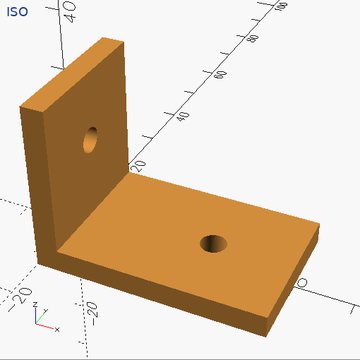
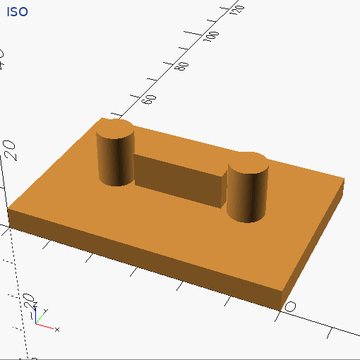
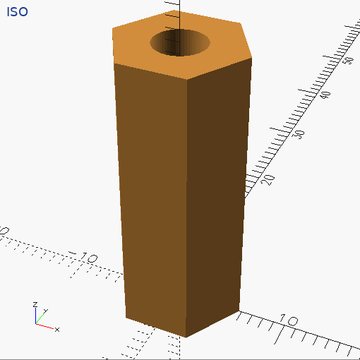
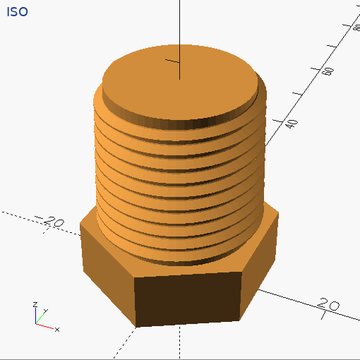
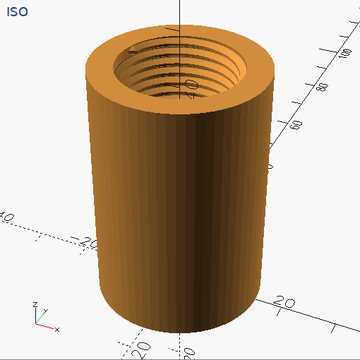
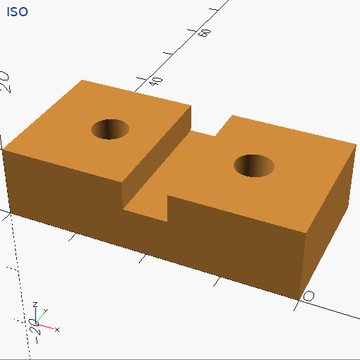
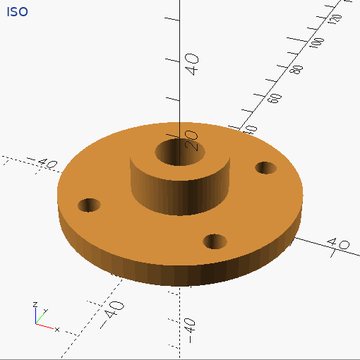
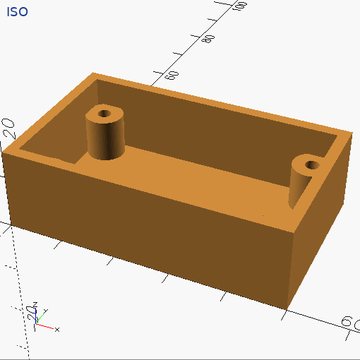
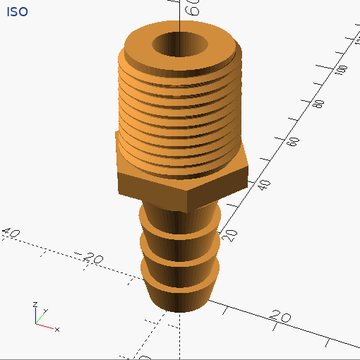
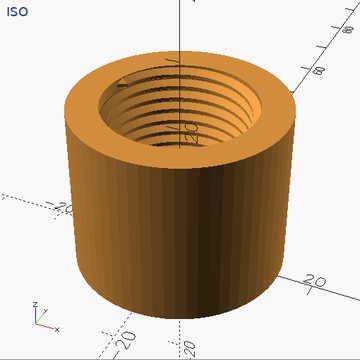
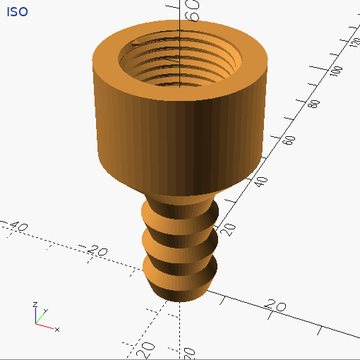
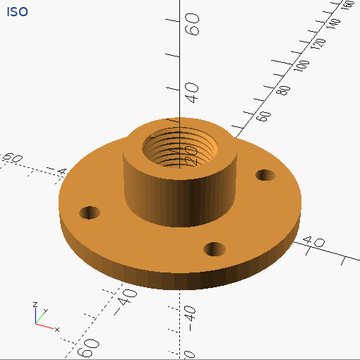
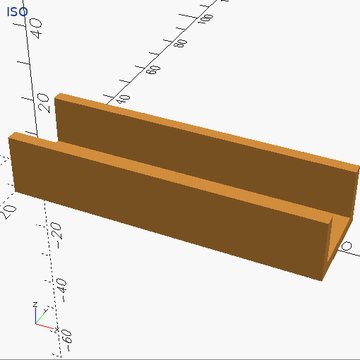
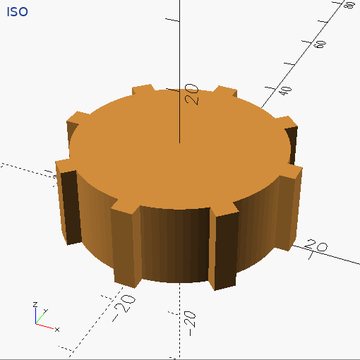
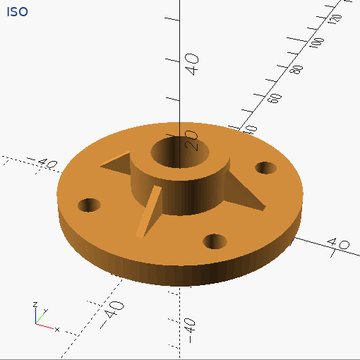
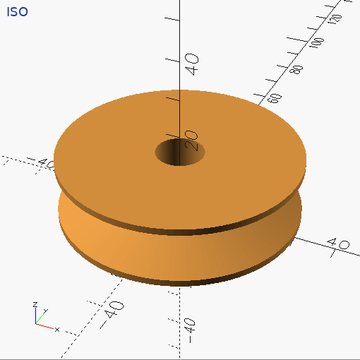
The three-run parts show one run each. The female-to-barb run that missed is described below.
What each
failure changed
| In round 3 | What changed | Round 4 |
|---|---|---|
| The pipe cap's floor was cut through. A rule meant for bores that go on through (“run each thread out into a taper”) fired in a blind hole. | The rule now says where it applies. A closed end stays closed, at least 3 mm, measured with a line. | 1 of 1 |
| The block from a picture had material cut away where the picture shows solid. | Every cut now prints each opening's size and centre, so positions can be compared in numbers. | 1 of 1 |
| The female-to-barb adapter: the request itself asked for a flat overhang that can't print. | A test bug, fixed in the prompt. The instructions say to chamfer it at 45°, and cad check
reports any ledge it misses. | 2 of 3 |
| The floor flange left a thin downward lip in its bore, 50 mm², at z 2.00. | The profile reads flat faces off the mesh, and the instructions give the measured 45° bore-to-thread cone. | 3 of 3 |
| The knob's D-hole ran 1 mm too deep. The pulley's groove walls were 30° from horizontal, not 20°. The edited flange's gussets were misplaced. | Nothing aimed at them; they only had the general tools: calipers, the profile, numbered cuts. Better readings for all three come in round 5. | 3 of 3 each |
Round 4's one miss: asked for a 26 mm body with its underside chamfered, the model stacked a 7.5 mm chamfer under the body instead of inside it, made the part 58.5 mm tall instead of 51, and said nothing was wrong. Round 5's instructions say the overall size is the request's own lengths added end to end. In round 5's first run the model wrote the right size, 51 mm, into its own checks before it designed anything.
Frontier models,
same harness
Every test the local model failed also went to frontier models through exactly the same harness: the same
instructions, the same cad tool on the same laptop, one part each, graded by the same grader.
They run from a queue that spends what's left of my plans' weekly allowance
(how that works).
29 runs, by Claude Sonnet, Grok and Gemini: 28 fully right, most in one build. The one miss was on the old, unprintable hose-barb request. Before the queue could do it, I ran Sonnet, Codex, Gemini and Grok by hand on three of the hardest. Every one made the pipe cap right in one build, which the local model hadn't managed in three tries.
That ceiling is what makes the results readable. When a frontier model passes in one build, the failure is the small model's. When frontier models fail the same way, the harness or the test is wrong. That's how the unprintable hose-barb request was found: the models that chamfered the body so it would print lost the same probe the local model lost, and the reference part failed the shop's own print check.
Their notes became the backlog. They read diameters off the pictures by pixel ratio; a 3-bit model can't,
so the tools now say the numbers. They all guessed where a bore meets the thread cutter, anywhere from
17.6 to 20.2 mm, so I measured BOSL2's cutter (Ø20.0) and wrote it down. They asked for a vertical cut, a
scale on the sections, and a cad help. All of that is in round 4.
What I learned
- Measuring beats looking. A 3-bit model can't read a skin under a millimetre or a 10° error off a picture. A tool that prints the number fixes that. Published work agrees: CADCodeVerify found models answering questions about renders of their own parts were right about 65 % of the time, and feedback from measuring the geometry beat feedback from pictures.
- A rule in prose fires where it doesn't fit. “Run each thread out into a taper” was right for a coupling and cut the floor out of a cap. Every rule now says when it applies and why.
- A frontier model on the same harness separates the model's limits from my bugs. Two of the bugs it turned up were mine: an unprintable request, and two reference parts with a square step inside that the grader didn't count.
- A tool that's wrong is worse than none. While writing round 6, I found the build reported any turned shape whose profile touches the axis, even a plain cone, as broken: 257 separate bodies. OpenSCAD leaves zero-area slivers along the axis, and the mesh check counted them. A model that trusted it would have chased a fault that wasn't there. No run had hit it yet; it's fixed for every command.
- Slower is fine when it's right. Round 4 took half again as long as round 3 and got nine more parts right.
- It's still a fallback. Sixteen single parts, each fully described, on a 30-minute clock. The frontier models usually do the same work in one build. The point is that the cloud being down no longer means I can't design a fitting.
Next
Round 5 is running (2026-10-14). Before it designs anything, the model writes 2 to 8 checks of its
own from the request: a hole that must go through, a floor's thickness, the overall size. A new command,
cad verify, runs them against the latest version. The profile now reads the outside too: diameters,
tapers and their slope, so a V-groove's walls read as half the included angle.
Its first run passed, but it used the whole 30 minutes. It never ran its checks, so it never saw that its
fourth version was already right. It rewrote the part, and spent most of the time testing OpenSCAD itself:
a centred cylinder, a translate(…); with a semicolon that moves nothing, 3-D points
handed to rotate_extrude. So round 6, drafted and tested but not run, runs the model's
checks after every build and says “every check passes: run the print check, then stop”.
The instructions also now state the OpenSCAD facts it stumbled on outright, so the model takes them as given
instead of testing them. I'll add the numbers here as each round finishes.